Online flow diagram maker
Turn complex interactions into clean, visual flows your team can follow instantly.

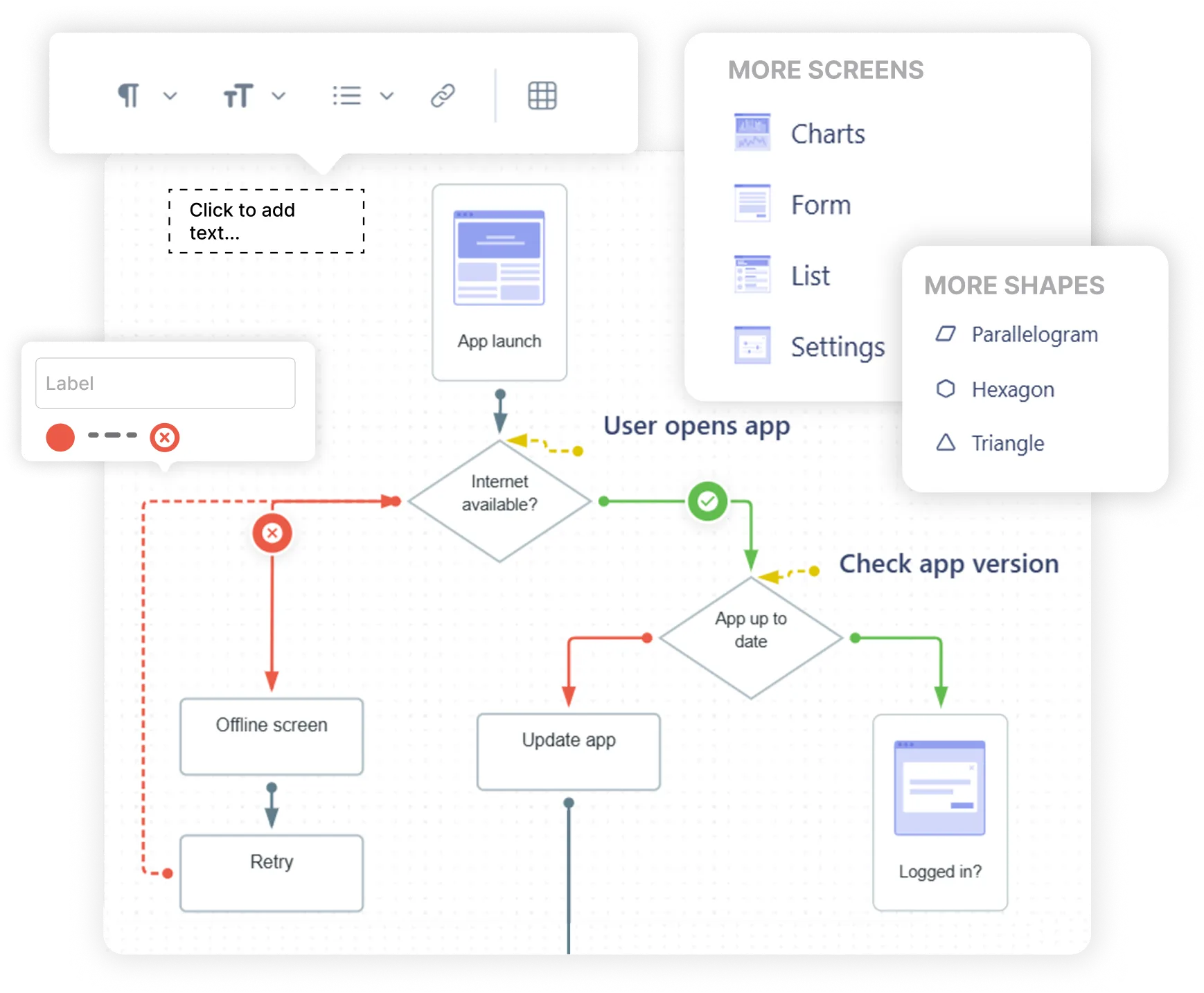
Versatile nodes – create structured flows with screen nodes, shapes, and utility nodes for files, images, and links.
Customizable edges – differentiate paths with colors, edge styles, icons and labels so complex flows stay clear and understandable.
Color and styling controls – highlight paths, states, or priorities with flexible visual styling.
Text blocks with rich text editor – add notes and explanations with formatting to make diagrams easier to understand.
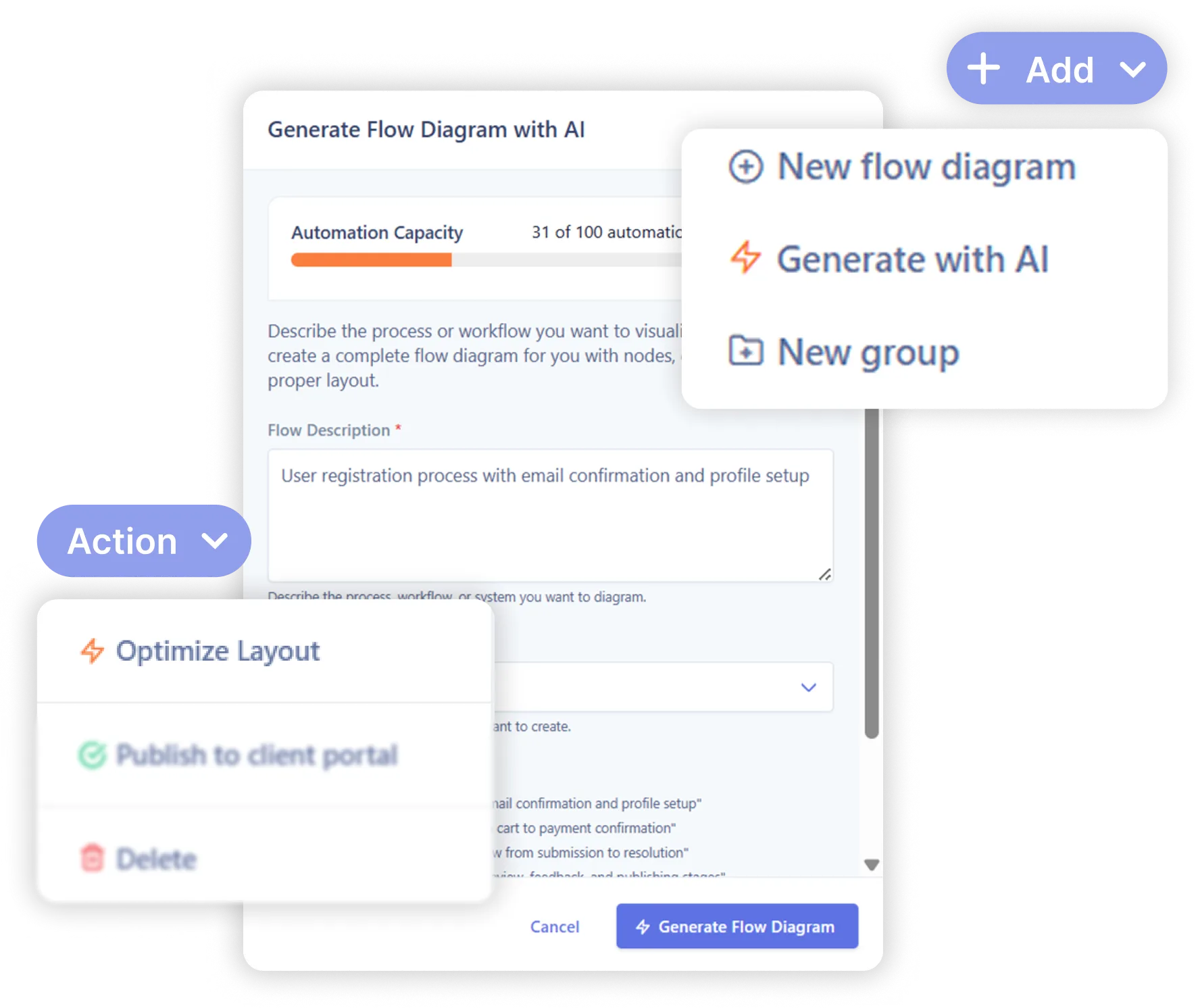
AI-generated flow template – start with a smart structure. Instantly generate flow templates for onboarding, checkout, settings, or any custom scenario with just a few inputs.
AI flow optimization – turn messy diagrams into polished flows in one click. Let AI automatically organize, align, and clean up your flows so they’re instantly presentation-ready.
Persona node – connect your user flow to a specific persona from UserBit so everyone knows who the flow is designed for.
Journey map node – add an existing journey map as a reference within your diagram to provide broader context.
Insight node – attach research insights directly as nodes in your flow diagram to explain why decisions are made.

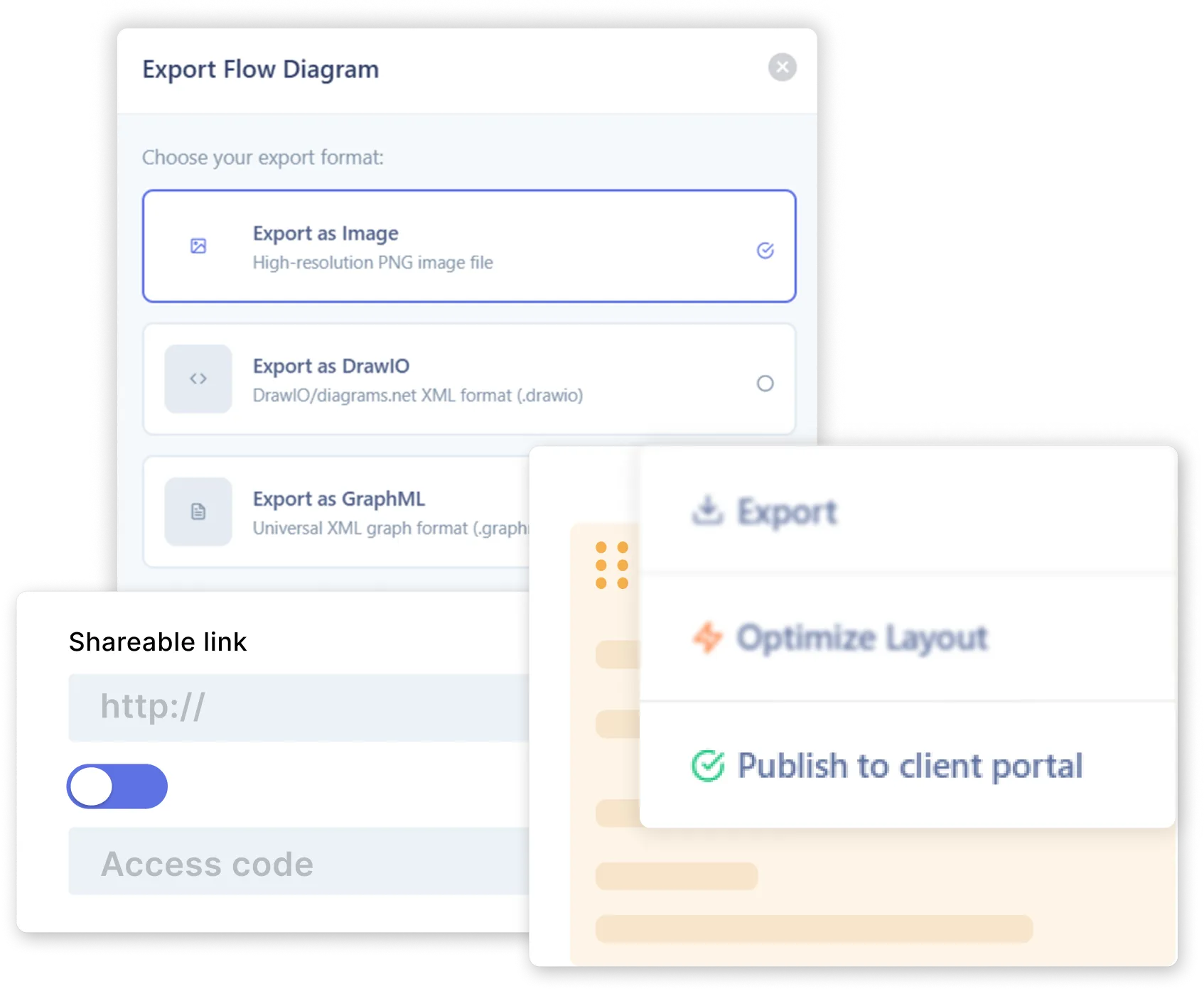
One click sharing - generate a shareable public or protected link and revoke access anytime.
Client Portal - give clients or stakeholders a dedicated space to view flows and leave feedback.
Export flows - download diagrams as an Image or popular XML formats like GraphML and DrawIO.
Collaborate without limits - invite unlimited collaborators, viewers, or stakeholders with no per-seat charges.
Organize with ease - create separate workspaces for different teams or clients to keep data private and secure.







The free plan gives you one active flow diagram, unlimited read-only diagrams (for up to 6 months), 5 AI-generated templates, and unlimited team members.
Yes! You can add repository insights, personas, and journey maps directly in your flow diagrams to see data and behaviors in context.
Yes. The free plan gives you 5 AI automations. If you need more, you can always contact us.
You can share diagrams via public or protected links for quick viewing, invite clients to a portal for feedback,or export diagrams as an Image or XML formats like GraphML and DrawIO for presentation.